


Your cart is empty!

قدرت و مهارت ما، موفقیت شما را میسازد.
Years of Experience
Resulting from Continuous, Valuable Work
The Arvan Plugin is a professional and simple solution for managing extra costs, custom forms, special services, and product options in WooCommerce. Leveraging WooCommerce capabilities, this plugin enables adding costs and collecting customer information intelligently, quickly, and without complexity, making it ideal for professional online businesses.
Stable performance fully aligned with WooCommerce standards and store themes.
Use selection buttons, checkboxes, and dynamic displays for a better user experience.
Create text fields and collect custom customer information in the simplest way.
Add extra costs to WooCommerce products in a fully flexible and customizable manner.
The Arvan Plugin, with its smart and professional system, handles the process of adding and managing extra costs, custom forms, and special services quickly and accurately, providing a reliable and transparent experience for you and your customers.

Arvan Plugin: Smart Extra Cost and Custom Form Management System for Professional WooCommerce Stores








After selecting options, extra costs are automatically added to the order.
Selected costs are instantly calculated and displayed in the final price.
Custom form data and cost settings are managed with a stable and standardized structure.

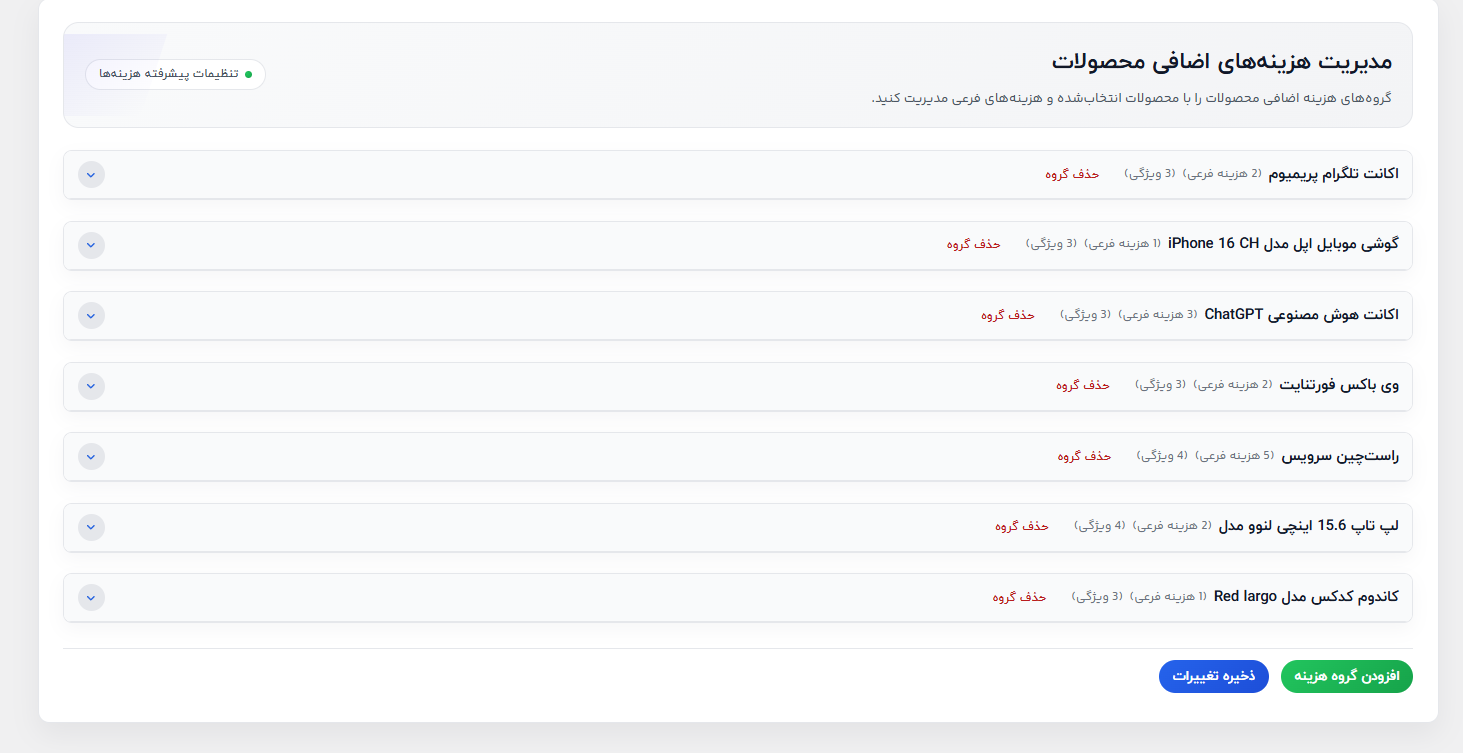
Manage cost groups and extra options quickly, accurately, and without errors.
Easily set fixed or percentage amounts, mandatory or optional options, and how they are displayed.
Create, edit, and customize cost groups based on the needs of each product or store category.

Answer 1: The Arvan Plugin allows you to manage product extra costs, create custom text forms, use smart single-choice buttons and mandatory checkboxes, design attractive pop-up windows, and display real-time pricing. These features make the WooCommerce shopping experience clear, fast, and professional.
Answer 2: Arvan allows you to add costs as fixed amounts or percentages, group them, reorder them using drag-and-drop, set options as mandatory or optional, and prevent duplicate cost calculations.
Answer 3: Yes, the plugin is fully compatible with standard and popular themes such as Woodmart, ParsKala, and Pro Account, and it works smoothly on most WooCommerce themes.
Answer 4: Yes, the “single-option selection” mode can be enabled, preventing users from selecting multiple options at the same time, which ensures a simple and smooth user experience.
Answer 5: The plugin includes 20 management features, such as adding images and icons for each cost group, recording attributes, editing full descriptions with an advanced text editor, viewing the number of selected products, and managing their status within each group.
Answer 6: Yes, Arvan is suitable for WooCommerce stores selling physical or digital products, games and in-game items, cosmetics, WordPress plugins and themes, heavy packaging, accounts and subscriptions, website design, and technical services.
Answer 7: The plugin comes with active support and a 6-month money-back guarantee. If your theme is outside WooCommerce standards, full plugin compatibility with the theme can be ensured for a small additional fee, guaranteeing proper functionality.
Your cart is empty!